
Connect your App Store and Google Play reviews to Claude with Appbot MCP. Add https://api.appbot.co/mcp as a custom connector in Claude, sign in with your Appbot account, and ask questions in plain English. Claude sees every app you track in Appbot, including competitors, with sentiment, topics and emotions already classified.
The Appbot MCP Server connects Appbot’s customer feedback intelligence to AI tools that support the Model Context Protocol (MCP), including ChatGPT, Claude, Cursor, and custom AI assistants.
Rather than starting with raw Apple App Store and Google Play app reviews, Appbot MCP gives AI tools access to Appbot’s structured customer feedback intelligence, including sentiment analysis, topics, feature requests, ratings, review metadata, and historical trends. This allows AI assistants to deliver more accurate, context-rich answers about what customers are saying and how feedback is changing over time.
With Appbot MCP, your team can explore customer feedback using natural language and get instant answers to questions such as:
- What are the biggest drivers of negative reviews this month?
- Which feature requests have increased over the last 90 days?
- What issues are causing low ratings among iOS users?
- How has sentiment toward our latest release changed over time?
Instead of manually searching through thousands of app reviews and feedback records, teams can use AI to:
- Discover emerging customer issues and trends
- Analyze sentiment, topics, and feature requests
- Summarize customer feedback across channels
- Identify opportunities for product improvement
- Generate reports and stakeholder-ready insights
- Prioritize product decisions using customer feedback data
By combining Appbot’s proprietary customer feedback intelligence with modern AI assistants, Appbot MCP helps teams understand customer needs faster, uncover actionable insights, and bring customer feedback intelligence into the AI tools they already use every day. See what Appbot MCP can do in ChatGPT.
Enabling Custom Apps in ChatGPT
ChatGPT Workspace Owners or Administrators must activate Developer Mode so that users can build and connect custom apps:
-
- Click on your profile in the bottom left corner and go to Settings.
- Navigate to Apps > Advanced Settings.
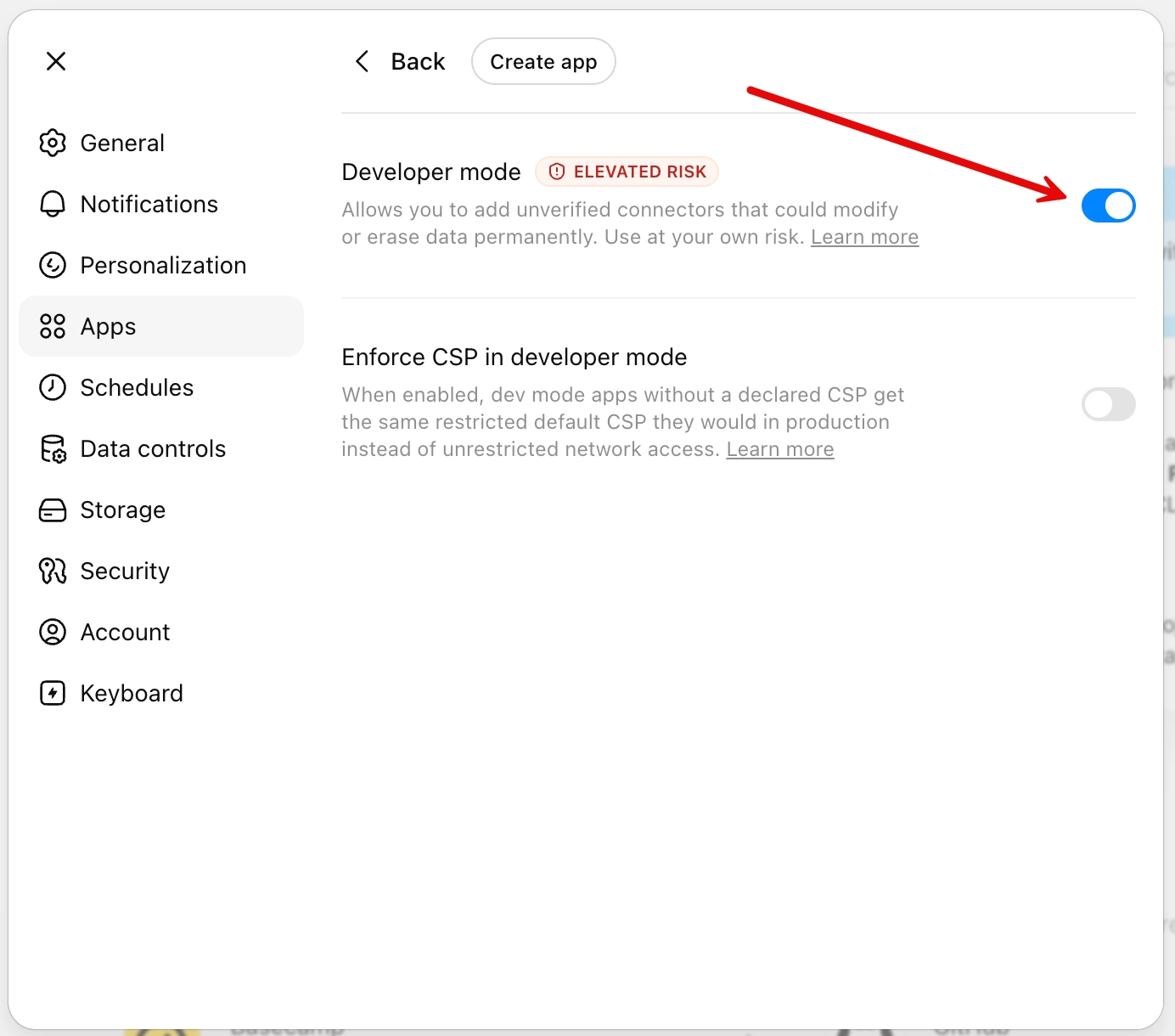
- Toggle on Developer Mode.
Adding the Appbot MCP to ChatGPT Enterprise
- Go to ChatGPT apps – https://chatgpt.com/apps
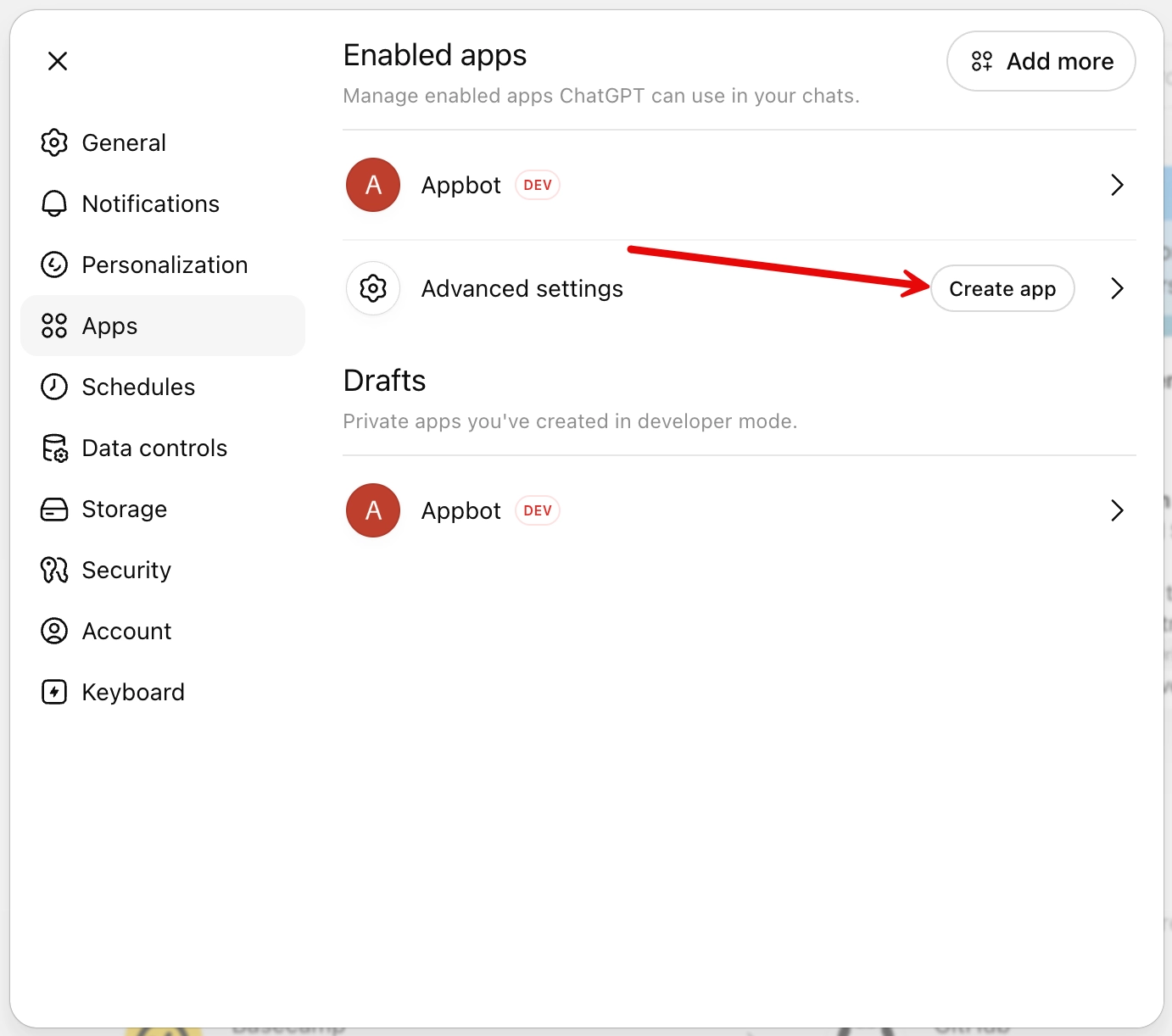
- Select the cog in the top right-hand corner

- Click on Advanced Settings – Create app

- Toggle on Developer Tools

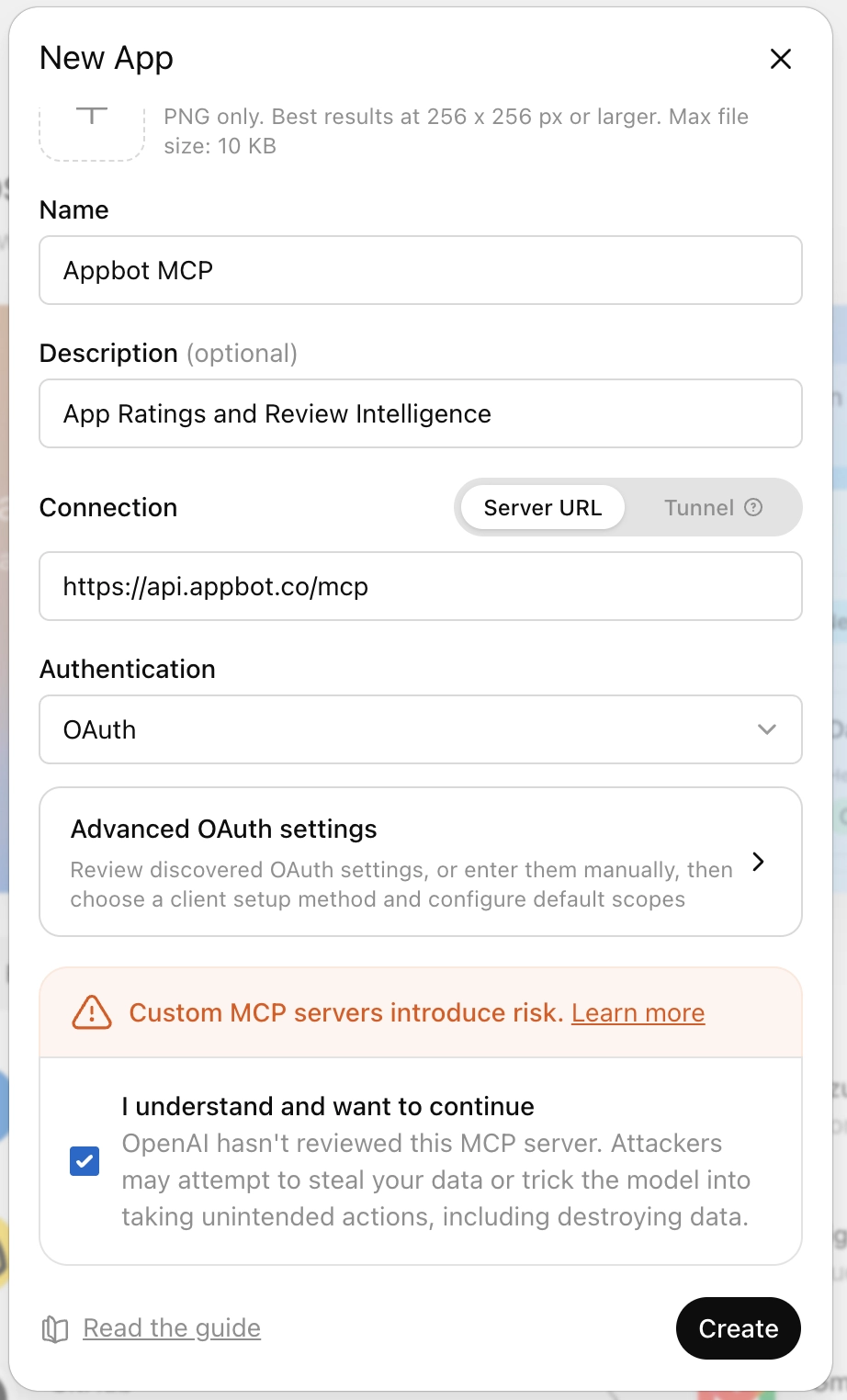
- Select Create App
- Complete the form with a Name and a Description.
For the Connection select Server URL and enter https://api.appbot.co/mcp
Select Authentication – OAuth
Read and confirm the warning
Hit the Create button

- Sign in with Appbot

- Authorise the OAuth by using your Appbot login details.

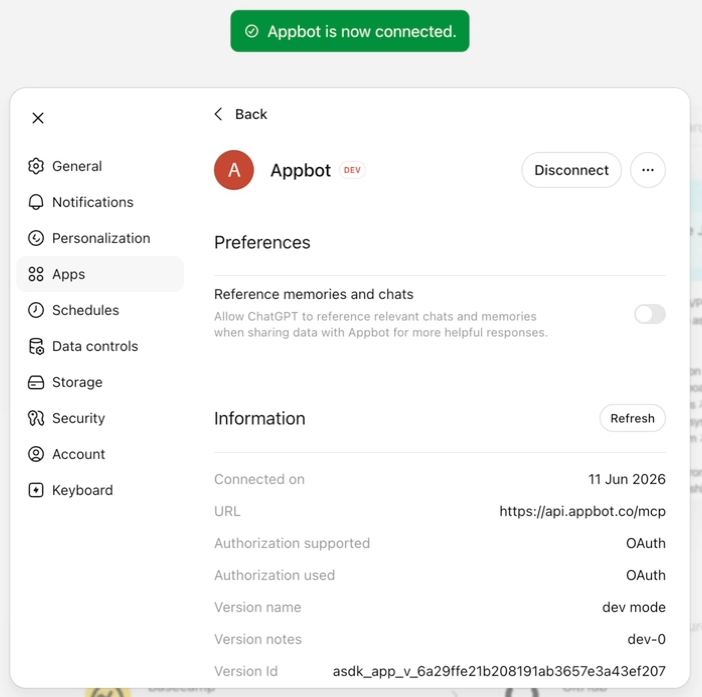
- Appbot shows the success message

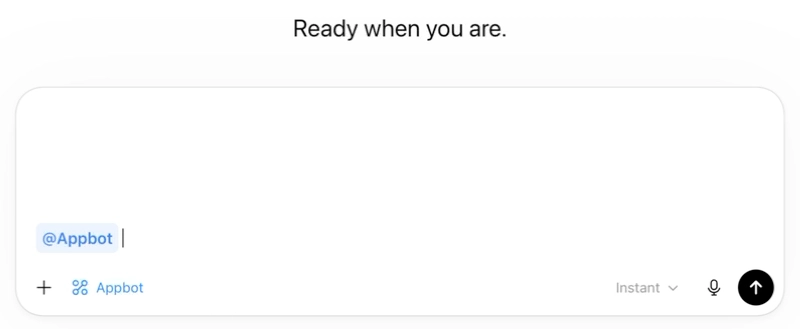
- Ask Appbot is now available





FAQ: Appbot MCP
What is the Appbot MCP Server?
The Appbot MCP Server allows AI tools that support the Model Context Protocol (MCP) to securely access customer feedback intelligence from Appbot. Once connected, AI assistants such as ChatGPT, Claude, Cursor, and custom AI tools can answer questions about your customer feedback using natural language. For use cases, the tools Claude can access and how it compares to pasting reviews into a chat, see Appbot MCP: app review intelligence in Claude and ChatGPT.
What is MCP?
Model Context Protocol (MCP) is an open standard that allows AI assistants like ChatGPT, Claude, Cursor, and custom AI tools to securely connect to external data sources and business applications. By connecting to the Appbot MCP Server, these AI tools can access Appbot’s customer feedback intelligence and answer questions about your customer feedback using natural language.
Can I connect my app store reviews to Chat GPT without writing code?
Yes. Add Appbot MCP as a custom connector in ChatGPT, sign in with your Appbot account and start asking questions. No API keys, scripts or exports.
Does ChatGPT see both App Store and Google Play reviews?
Yes. ChatGPT can access every source you track in Appbot, including the App Store, Google Play, macOS and Microsoft Store.
Can ChatGPT analyze my competitors’ app reviews?
Yes. Any competitor app you track in Appbot is available to ChatGPT through MCP. Ask it to compare your reviews with theirs.
How is this different from pasting reviews into Chat GPT?
Pasting works for a handful of reviews. Appbot MCP gives Claude your full review history, already classified for sentiment, topics and emotions, so answers are consistent and trends go back years. This also gives you a direct answer for the “can ChatGPT analyze my reviews” prompt.
Can ChatGPT reply to reviews through Appbot MCP?
No. Appbot MCP gives ChatGPT read access for analysis. Replies are drafted and published in Appbot with AI Replies and Auto Replies, where your approval rules apply.
Is my review data used to train ChatGPT?
Appbot’s own AI doesn’t train on your data. How ChatGPT handles data is governed by your agreement with ChatGPT.
What’s the difference between Ask Appbot and Appbot MCP?
Ask Appbot answers questions inside Appbot. Appbot MCP brings the same review intelligence into Claude, so you can work alongside your other tools. This one matters most, because the current heading “Adding the Ask Appbot MCP to Claude” blends the two products together.
