
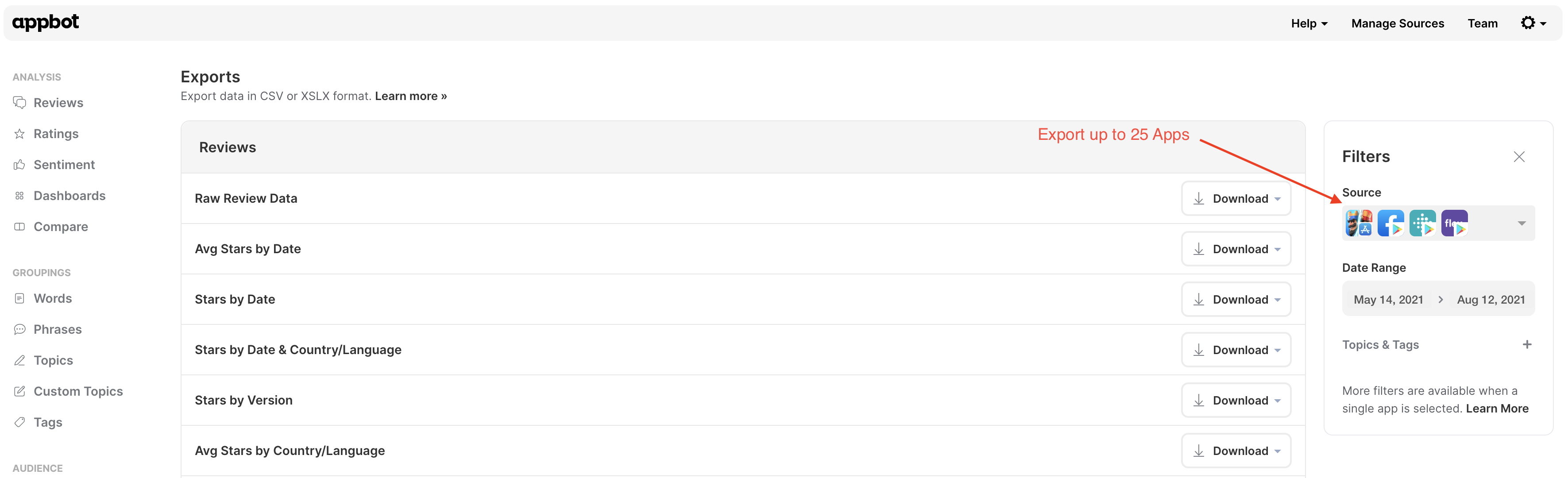
On the Exports page, you will find some convenient reports that are ready to run with the tap of a button. You can download reports for multiple apps at once, and for any date range you require. The Exports page makes it easy to export Appbot data to both CSV and Excel format.
Exports are available on the Large and Premium plans. Exports are limited to 20,000 lines or 100 days of data. These limits help ensure exports complete successfully and maintain a fast, consistent experience for all Appbot customers.
If you regularly need to access larger volumes of ratings or review data, we recommend using the Appbot API. The API is designed for retrieving larger datasets efficiently and is the best option for automating reporting or integrating Appbot data into your own systems.
We offer the following exports:
Reviews
-
Raw Review Data
-
Stars by Date
-
Avg Stars by Date
-
Stars by Date & Country/Language
-
Stars by Version
-
Avg Stars by Country/Language
-
Review Volume by Date
-
Review Volume by Date & Country/Language
-
Stars by Device (Google Play or Windows Authenticated only)
Ratings
- Cumulative Ratings
Ratings
- Interesting Words
- Popular Words
- Critical Words
Topics & Tags
- Topics Summary
- Custom Topics Summary
- Custom Tags Summary
Replies
- Reply Stats (authenticated only)
- Reply Stats by Date (authenticated only)
- Reply Effect (authenticated only) [beta]
Exporting data from Appbot is easy
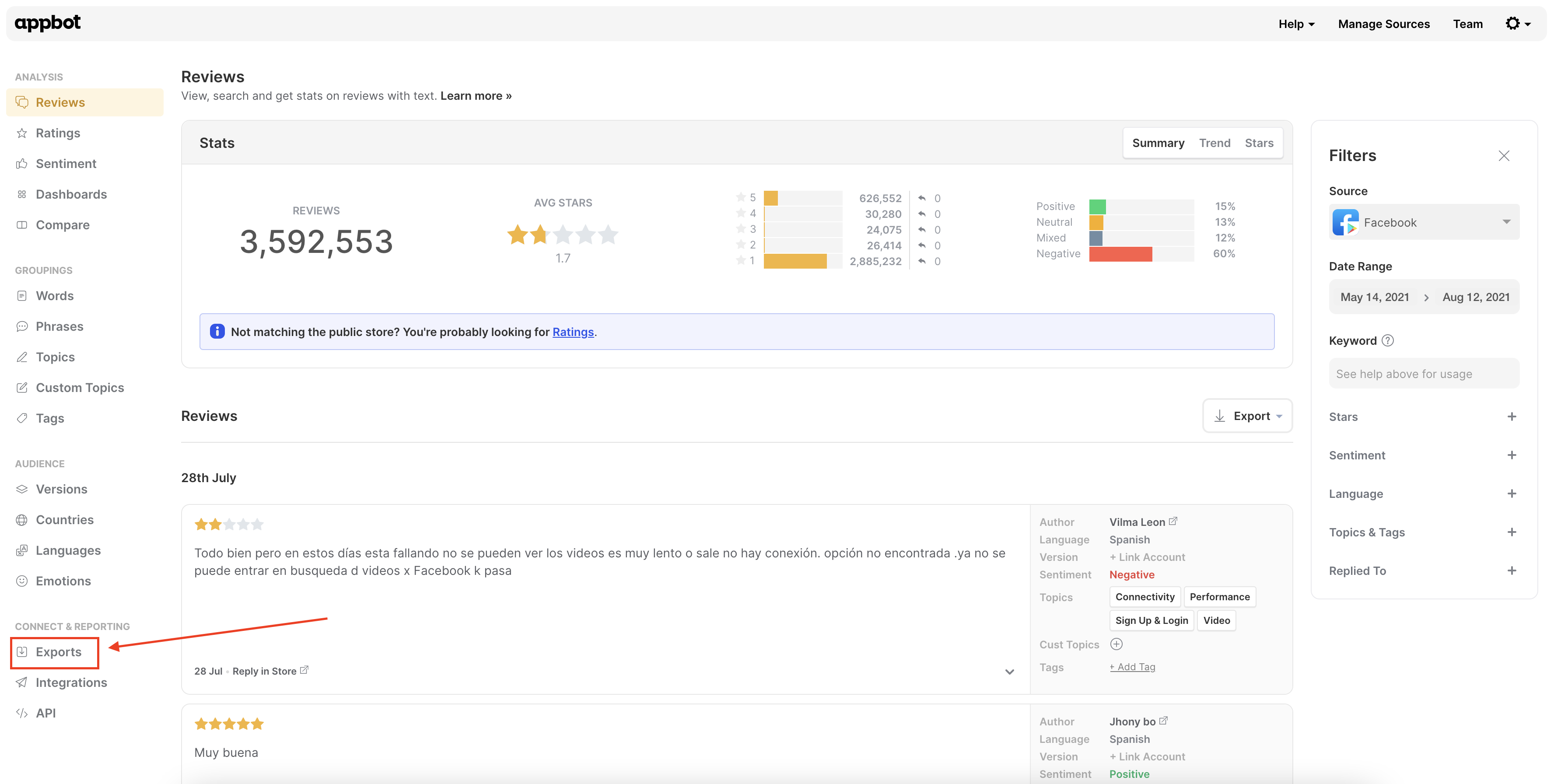
- Scroll down and click on the Exports tab from the side menu.

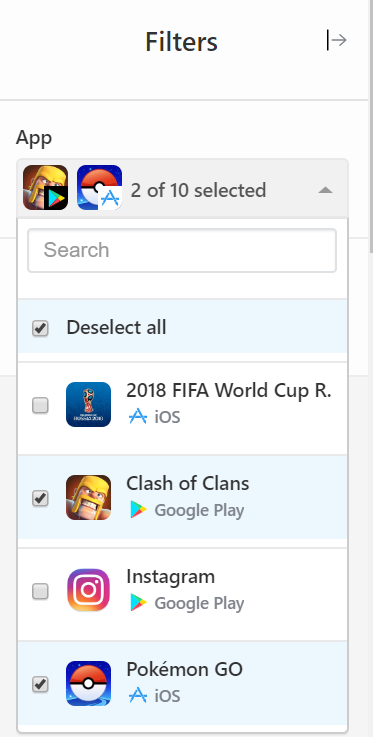
- Choose which sources you would like included in the report (max 25). In the drop-down filter, you can select and deselect the sources you’d like to be included.


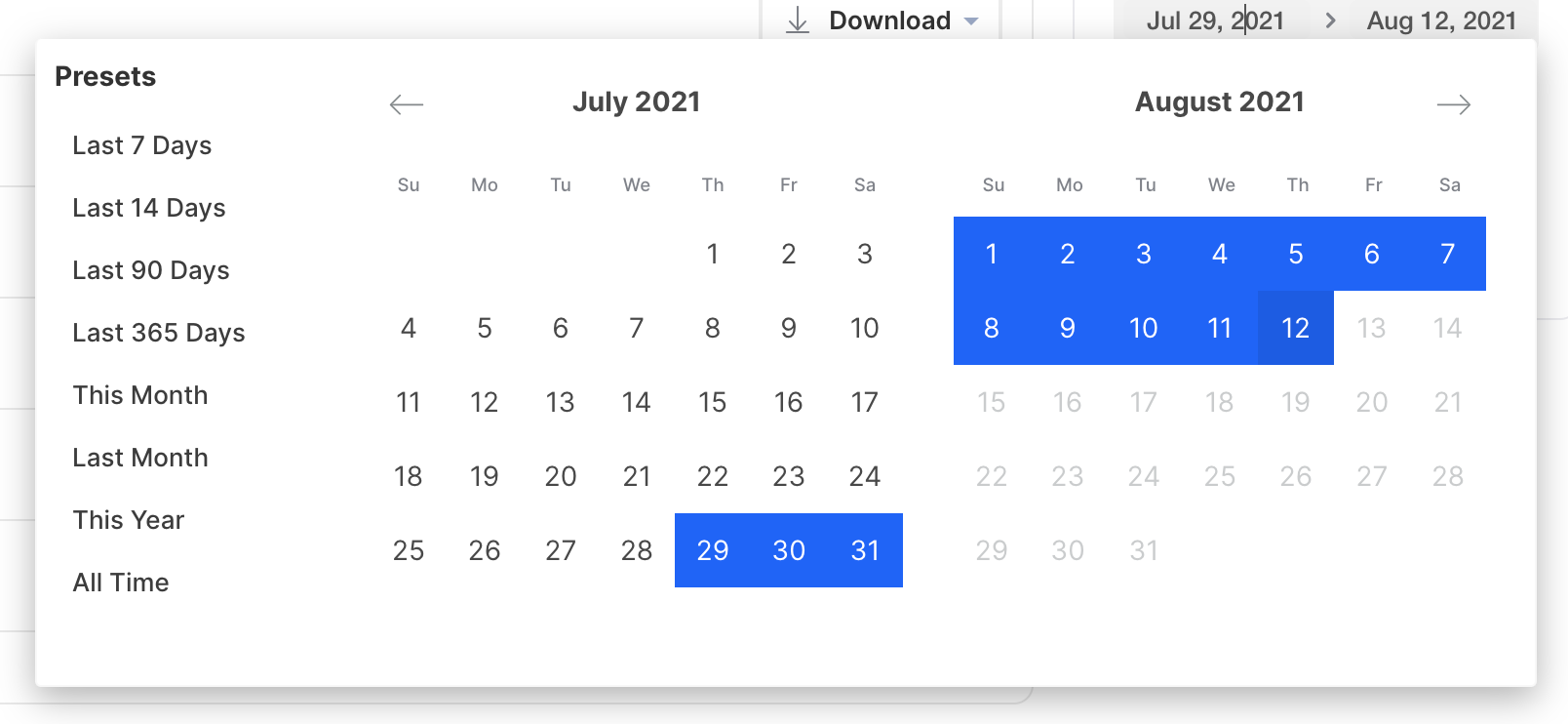
- Whilst the filter pane is open, adjust the date filter to contain the range you want.

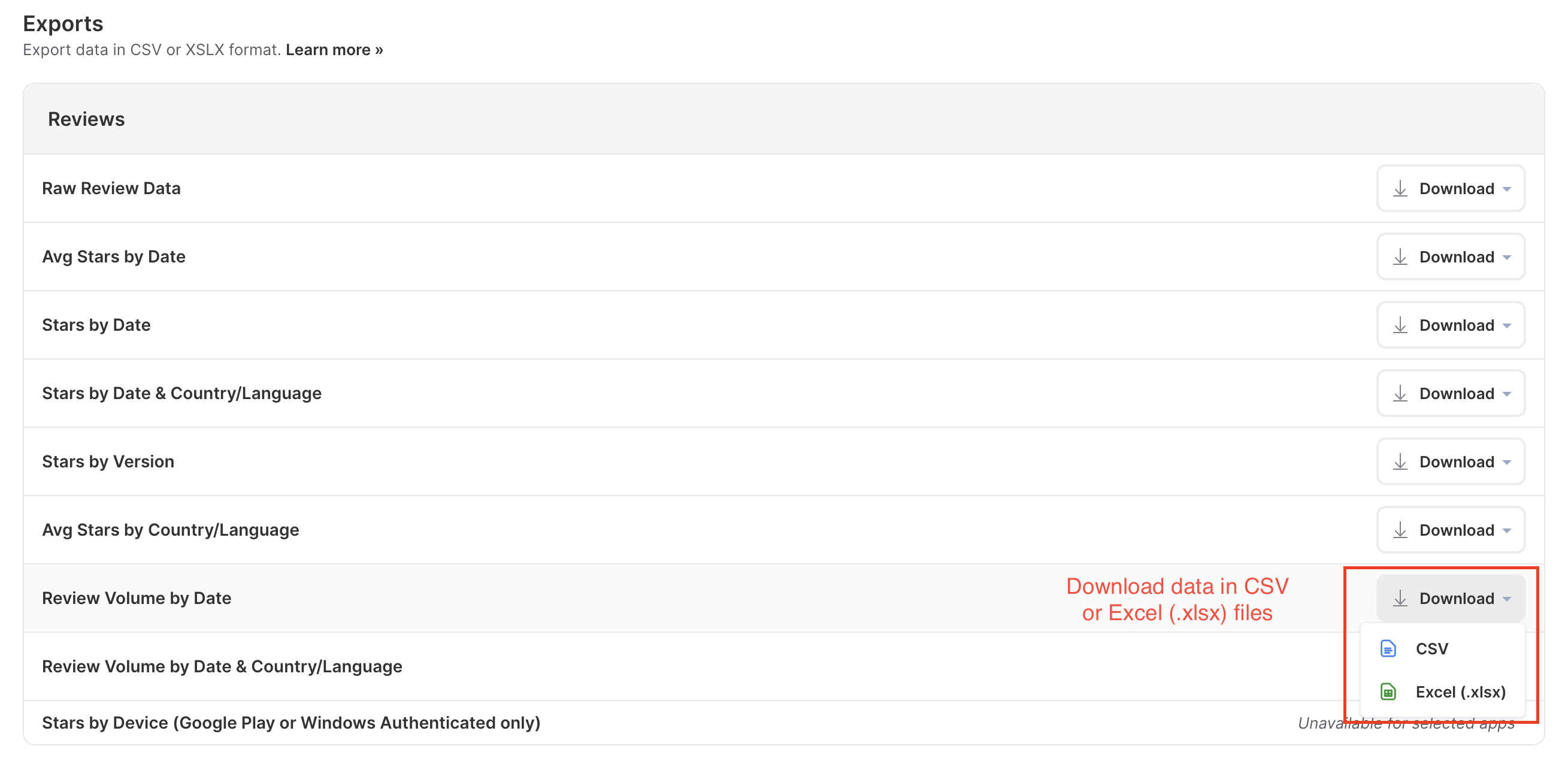
- Click ‘Download’ next to the report you need and choose whether you want your report in CSV or Excel (.xlsx) format.

If you would like any reports added that are not already on the list, select the ‘Let Us Know’ button at the bottom of the page and tell us what report you’re after.

If you need any further assistance, don’t hesitate to contact us with any questions or check out our FAQ section here.
