
The Large and Premium plans include 100 sources. If you need to track more than 100 apps in Appbot, you can purchase additional sources.
Each source represents one app in one store. Adding more sources allows you to track additional apps, or example when monitoring competitors, researching a new product idea, or analyzing another app in your portfolio.
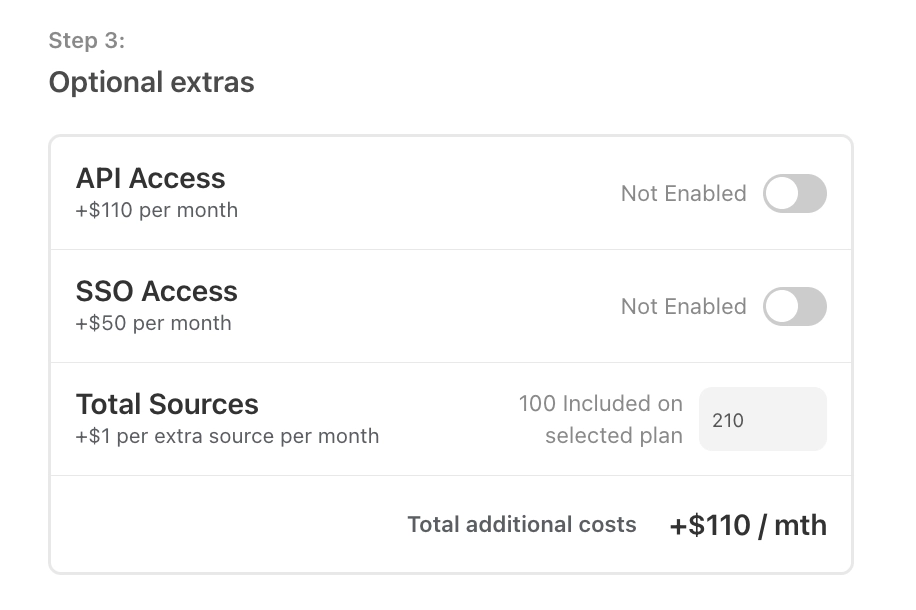
You can purchase additional sources on the Large and Premium plans for US$1/source/month. Premium and Large plan customers who pay by wire transfer should reach out to support for assistance with purchasing additional sources.
If you’re on the Large plan and pay by credit card, the account team leaders can purchase additional sources directly from within Appbot.
An account team leader can add more sources by:
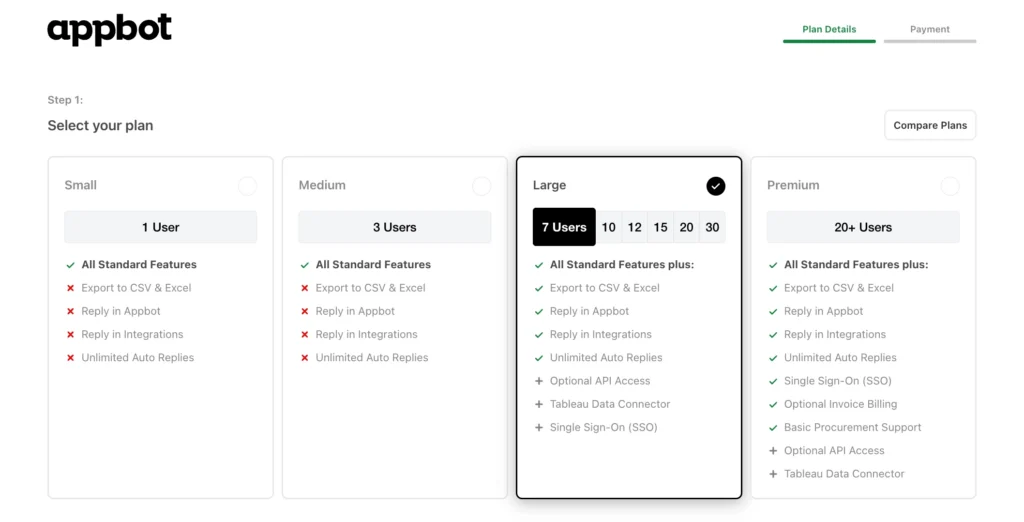
- Head to the Choose Plan page.
- Select your current Large plan.

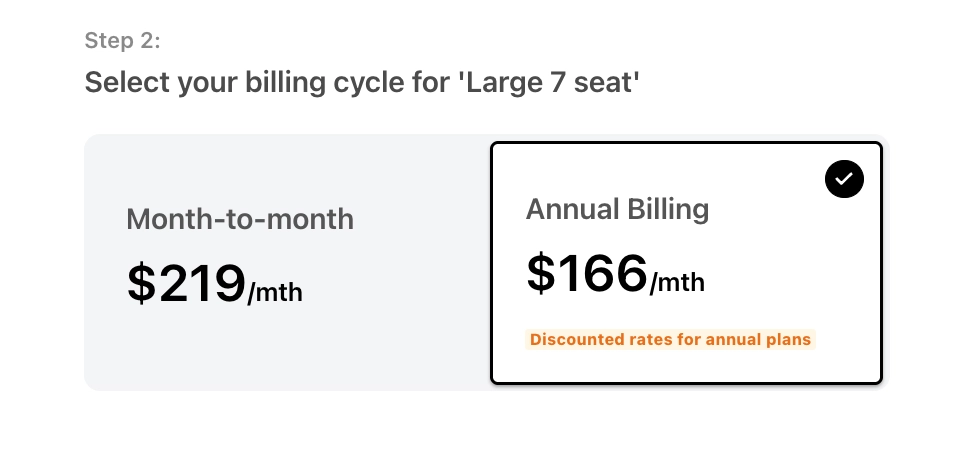
- Select your current billing cycle – Monthly or Annual.

- Enter the total number of sources you require. The first 100 are included in the base Large and Premium plans.

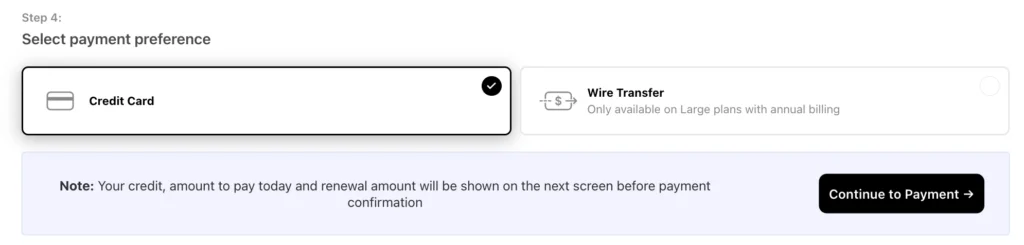
- Select Credit Card as the payment method.

- Press “Continue to payment”. This will take you to the next page, if you are adding more sources during a current subscription it will show you the pro-rate costs for the remainder of the current subscription period.
- Press the “Upgrade now” button.
- Once the payment has been successfully processed the additional sources will be available on the account.
- Your invoice will be available at Plans, Billing and Invoices page.
If you need any further assistance, don’t hesitate to contact us with any questions or check out our FAQ section here.
