
Single Sign-On (SSO) allows your team to log in to Appbot using your organization’s identity provider. This simplifies access management and improves security by allowing users to authenticate with their existing company credentials.
Appbot supports SSO via SAML-compatible identity providers, including Okta, Azure AD, OneLogin, Google Workspace, and others.
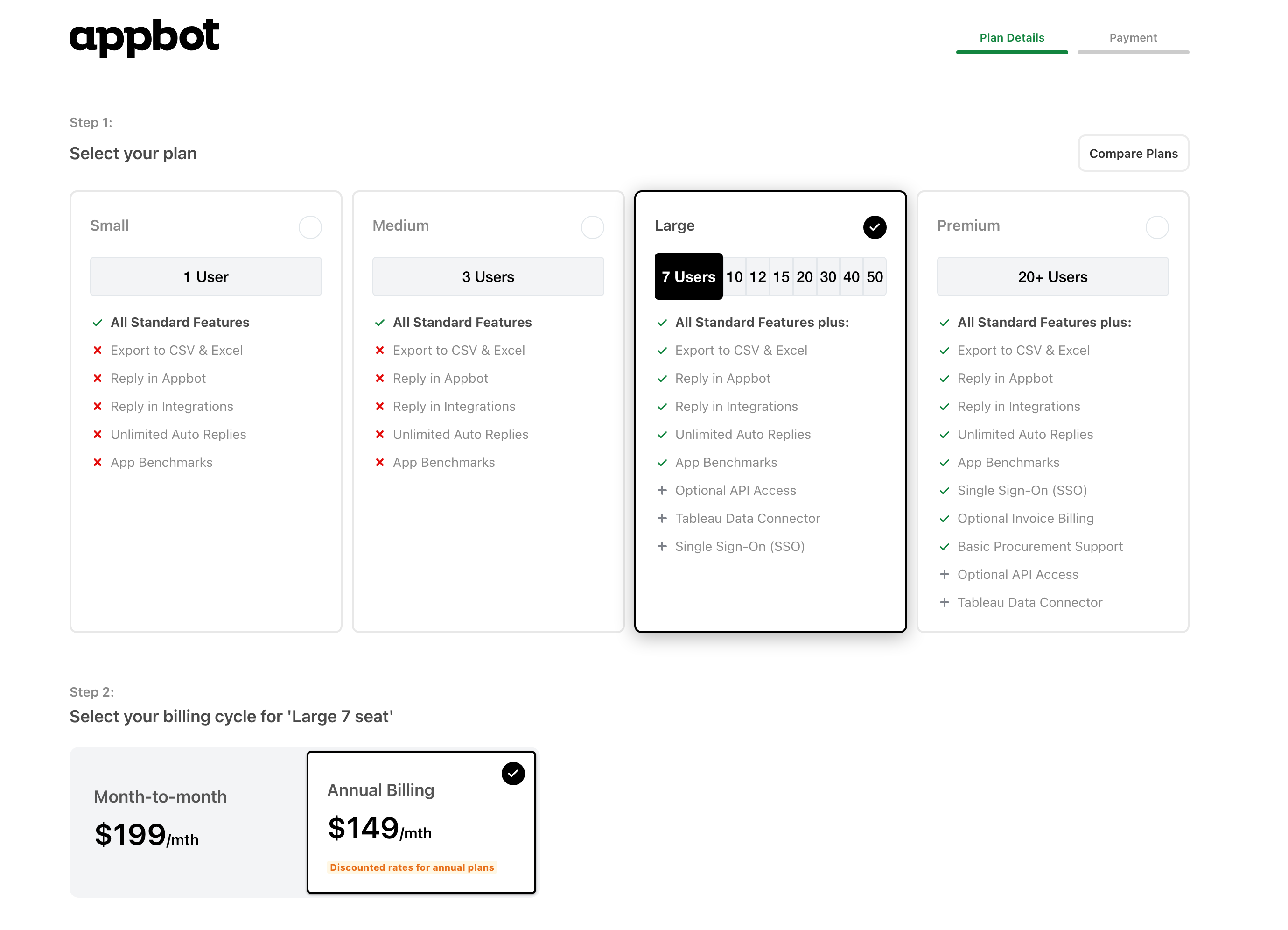
SSO is included in all Premium plans and is available to be purchased as an add-on for Large plans.
- Go to the Change my Plan page.
- Select your current Large plan and payment frequency.

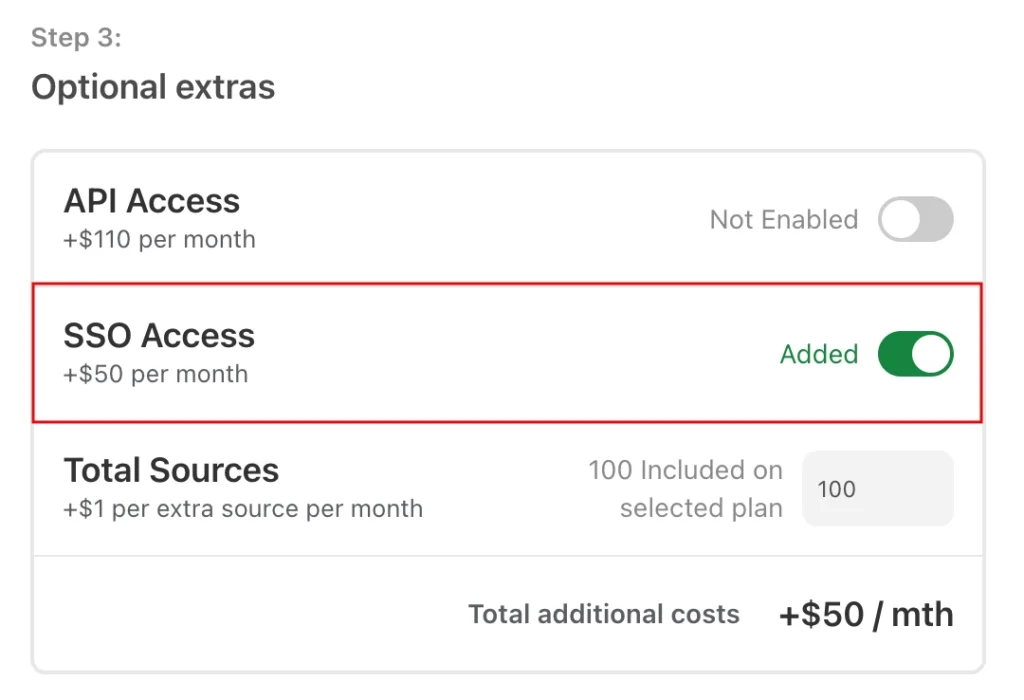
- Under Optional Extras enable SSO access:

- Select the payment method. It will show you the cost for the full subscription period selected, either a month or year.
- Press “Continue to payment”. This will take you to the next page, if you are adding SSO during a current subscription it will show you the pro-rate costs for the remainder of the current subscription period.
- Press the “Upgrade now” button.
- Once the payment has been successfully processed and received you will immediately have access to SSO on the account.
- Grab your invoice from the Plans, Billing & Invoices page.
Now you can go ahead and configure SSO for the account following this process.
If you need any further assistance, don’t hesitate to contact us with any questions or check out our FAQ section here.
