
Featured Reviews shows you which of your iOS app reviews have been featured by the Apple App Store, making it easy to identify the feedback that potential users are most likely to encounter when viewing your app.
Appbot automatically identifies reviews that have been featured, so you can quickly find them, understand what those reviewers are saying, and make sure important feedback doesn’t get missed.
Featured Reviews is currently available for iOS apps only.
What are Featured App Reviews?
On an app’s product page, Apple can display a small number of customer app reviews more prominently than the rest. These are Featured Reviews.
Their prominent placement means potential users may encounter these reviews before browsing the wider collection of reviews for your app. As a result, a relatively small number of app reviews can receive significantly more visibility than other customer feedback.
Apple determines which reviews are featured. The exact criteria Apple uses to select and order Featured Reviews are not publicly documented, and the app reviews being featured can change over time.
Why Featured App Reviews matter
Featured Reviews have increased visibility on your Apple App Store listing. Monitoring and responding to them helps you manage both the reviewer’s experience and the impression your response makes on prospective users.
They can also provide useful insight into the feedback being prominently presented to potential users.
Product, Customer Support and Marketing teams can use Featured Reviews to understand which customer experiences are particularly visible on their App Store listing and identify issues or positive feedback that may deserve additional attention.
Finding Featured App Reviews in Appbot
Appbot identifies featured iOS app reviews for you, making it easy to find and prioritise reviews that have been given additional visibility by the App store.
Featured app reviews are fetched from the Apple app store once per week.
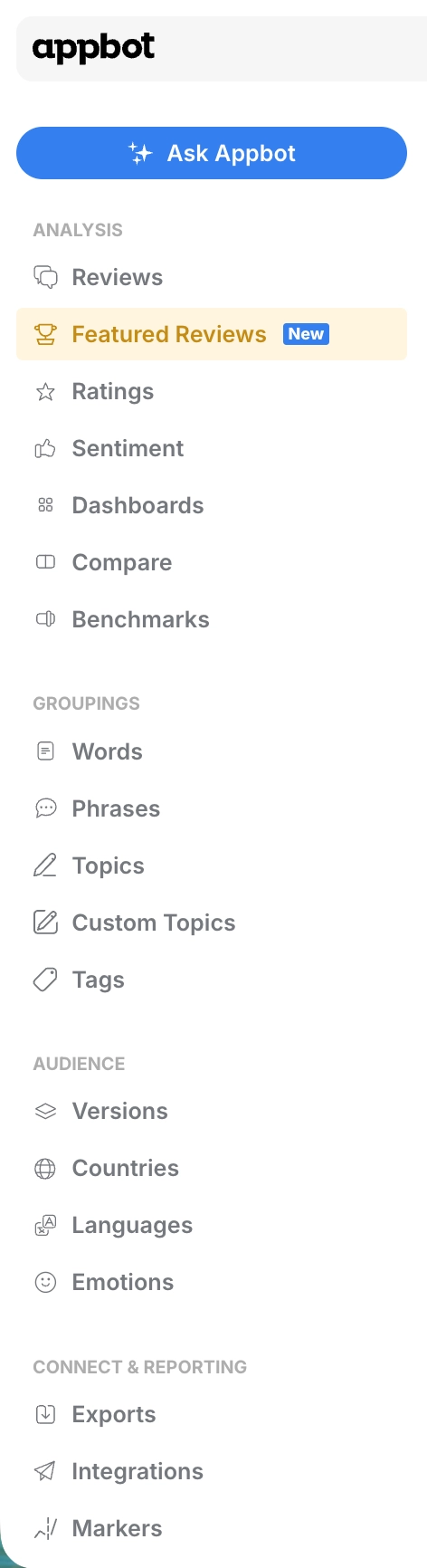
- Choose Featured Reviews from the Analysis menu on the left.

-
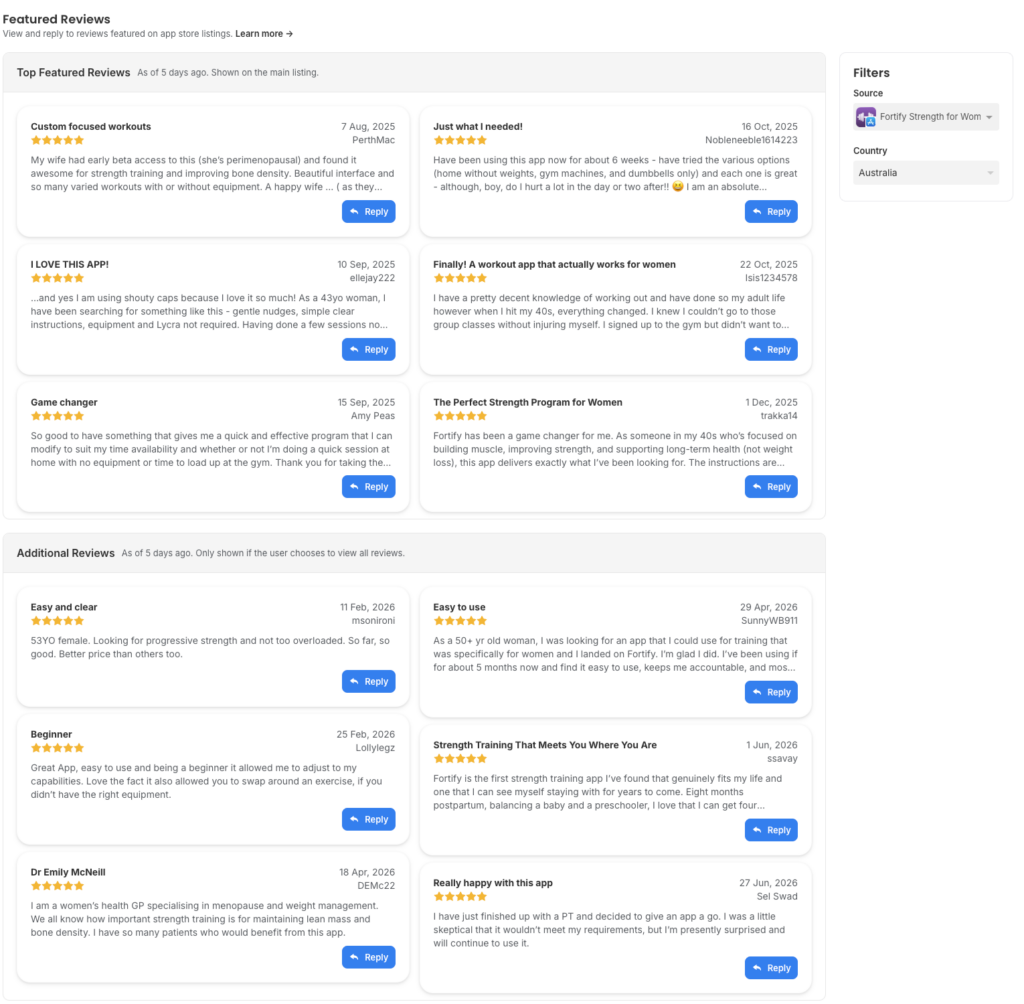
When you select an app, Appbot checks whether Featured Reviews are available for that app. If Featured Reviews are available in multiple countries, Appbot will initially show the country with the highest number of Featured Reviews available.
The Top Featured Reviews are those app reviews shown on the main app store listing.

The Additional Reviews are those shown if the customer chooses to see all of the featured reviews in the app store.
- To see the featured reviews for other countries, simply select in the filter on the right.
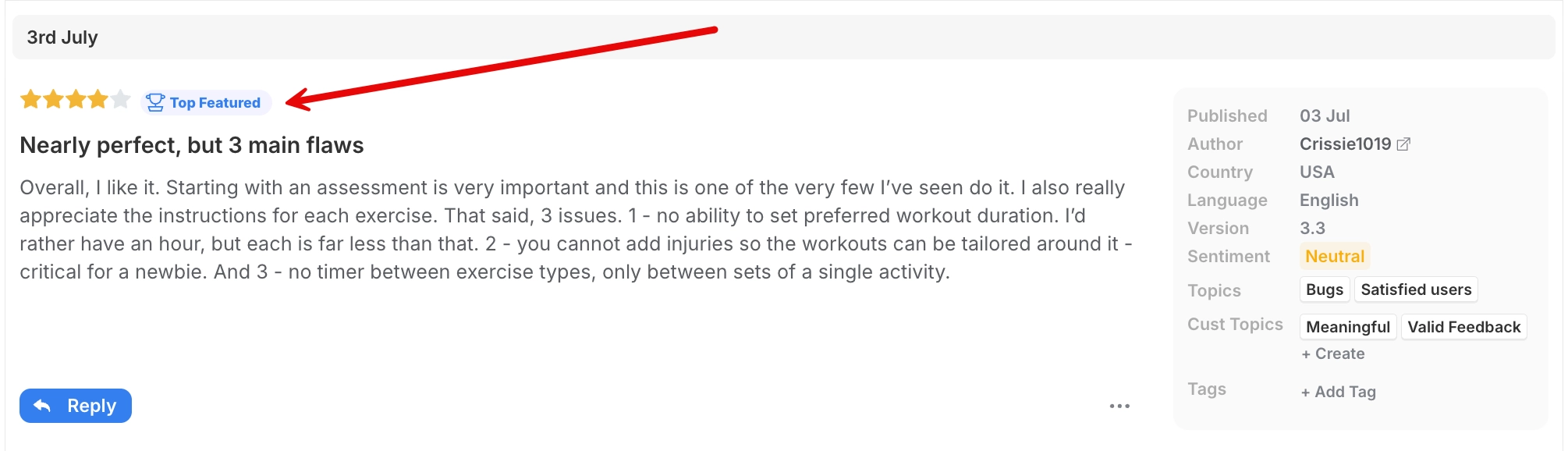
Featured Reviews are also badged on the App Reviews page, making it easy to identify featured feedback while browsing your app reviews.
Why reply to Featured App Reviews?
Because Featured App Reviews are displayed prominently, your response may also be seen by more potential users. This makes them particularly valuable reviews to prioritise for replies.
Replying can help you:
- Make a strong first impression — show prospective users that your team listens to and engages with customer feedback.
- Add context to negative feedback — provide useful information about an issue, workaround or solution.
- Highlight improvements — let readers know when an issue mentioned in a review has since been fixed or improved.
- Demonstrate responsive support — show potential users how they can expect your team to respond if they experience a problem.
- Build trust — a helpful, professional response demonstrates that customer feedback is taken seriously, even when you can’t resolve every concern.
- Engage with positive feedback — responding to positive Featured Reviews can reinforce goodwill and show that your team engages with customers beyond complaints.
Tips for replying to Featured App Reviews
Because these reviews and your replies may receive greater visibility, it’s worth taking extra care with your response.
Aim to address the reviewer’s specific feedback rather than relying on a generic response. If the review refers to an issue that has since been resolved, let them know. Where appropriate, provide a clear next step or point them towards support.
Remember that you’re not only replying to the reviewer, potential users may also read the exchange when deciding whether to download your app.
For negative reviews, keep replies helpful and professional. Avoid becoming defensive or arguing with the reviewer, as this can reinforce a negative impression for other people reading the review.
Frequently Asked Questions
Does Appbot choose which reviews are featured?
No. Reviews are featured by the app stores. Appbot identifies these reviews and makes their featured status visible within Appbot.
Can I make a review a Featured Review?
No. Appbot does not control which reviews the app stores choose to feature.
Can I remove a Featured Review from the app store?
No. Featured status is controlled by the app store, not Appbot.
Will replying to a review change whether it is featured?
Replying allows you to engage with the reviewer and provide additional context for people reading the review, but Appbot does not control whether the app store continues to feature it.
